
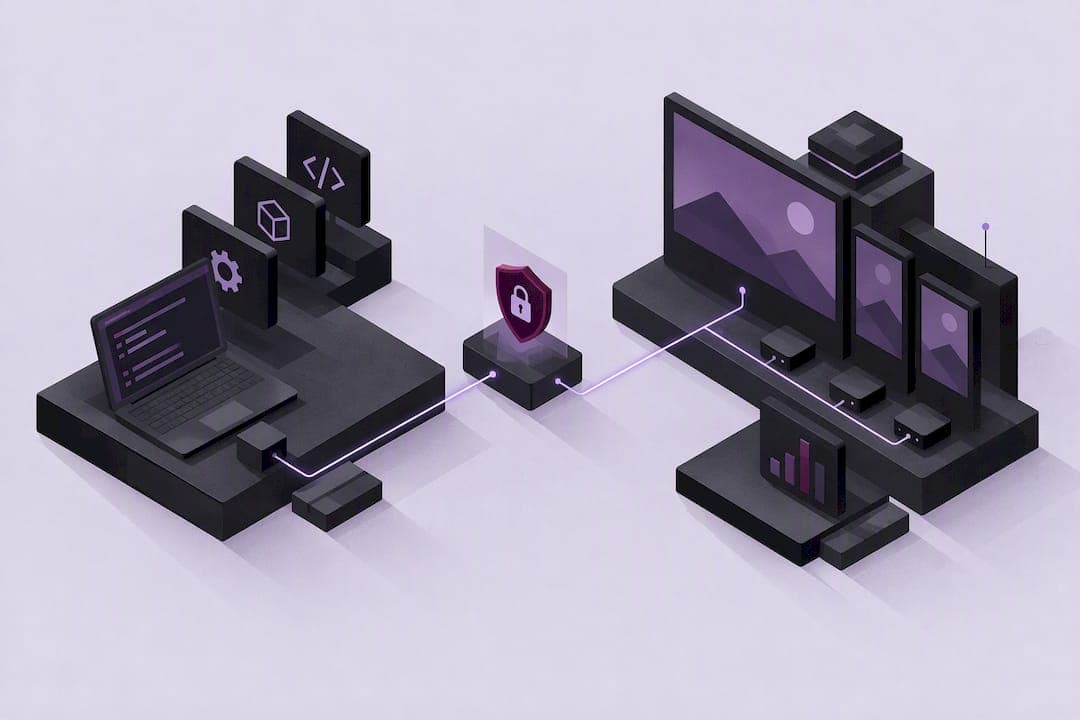
WebOS digital signage is LG's embedded platform for commercial displays, running directly on the display's system-on-chip (SoC) instead of requiring an external media player. It supports HTML5, JavaScript, and CSS apps out of the box, plus a full SDK for custom development. For technical and business teams, that means lower hardware costs, simpler installs, and enterprise features like LG Shield security, remote monitoring, and vertical presets built for retail, transportation, and quick-service restaurants.
TL;DR:
- webOS Signage runs directly on the display's embedded SoC, reducing hardware costs and simplifying installation across large fleets.
- Developers can build apps using familiar web technologies like HTML5, JavaScript, and CSS, with LG providing SDKs and APIs for device control and monitoring.
- Proper firmware alignment and testing of background JavaScript services are critical to prevent deployment issues and ensure reliable operation.
- Selecting the appropriate deployment method—cloud, on-premise, or hybrid—depends on network stability and control requirements, not display quantity alone.
- Using LG's preconfigured vertical presets for different industries speeds up installation and ensures optimal display performance in retail, QSR, transportation, or corporate environments.
Table of Contents
- What Is webOS Digital Signage Architecture and Features?
- What SDKs and APIs Does webOS Signage Support?
- How Do You Build and Deploy Apps for webOS Displays?
- How Do You Set Up and Register a New webOS Signage Display?
- What CMS and Integration Options Work With webOS Signage?
- How Secure Is webOS Signage for Enterprise Deployment?
- How Do You Monitor and Maintain a webOS Signage Fleet?
- What Are the Vertical Presets for webOS Signage?
- What Common Installation Mistakes Should You Avoid?
- Where a No-UI, AI-Driven Platform Fits Alongside webOS Signage
- A Simpler Way to Run Your webOS Signage Fleet
- Sources
- FAQ
What Is webOS Digital Signage Architecture and Features?
WebOS Signage is a web centric, Linux based operating system built into the display itself. Because it runs on an embedded SoC, there is no external box to mount, cable, or replace, which cuts total cost of ownership and simplifies installation across large fleets, a point LG's own platform documentation emphasizes directly.
The platform runs HTML5, JavaScript, and CSS applications natively, so developers already familiar with web technologies can build signage apps without learning a proprietary framework.
Core playback and display features include:
- Multi video tags for running several video streams within one layout
- Picture-in-picture (PIP) and picture-by-picture (PBP) for dual-source display
- Gapless playback and tile mode for videowall configurations
- Auto-brightness and rotation for adaptive, hands-off operation
Some webOS displays also carry Carbon Trust CO2 Measured and EPEAT Bronze energy certifications, which pair with auto-brightness to reduce power draw across always-on installations.
What SDKs and APIs Does webOS Signage Support?
Development starts with the webOS Signage SDK, which exposes two main API layers: SCAP (Signage Control API) for device-level control like power, input source, and volume, and IDCAP for accessing display resources and system information. Both are documented for partners building production apps rather than one-off prototypes.
JS services are the piece most new developers underestimate. These run in the background, independent of whatever app is on screen, and handle tasks like:
- Content synchronization with a remote server
- Continuous device health monitoring
- Sensor polling and telemetry logging
- Scheduled data refreshes without interrupting playback
LG also provides sample apps and templates through its developer portal, though full documentation access for some advanced features requires partner enrollment.
Pro Tip: Test your JS services under simulated network loss early. A background service that silently fails during an outage is far harder to debug in the field than one that fails loudly during development.
How Do You Build and Deploy Apps for webOS Displays?
Building for webOS Signage follows a fairly linear path, but skipping steps causes most of the deployment headaches teams report.
- Develop and test locally using Chromium-based rendering, checking against the web engine version your target firmware ships with, since older units may lag behind current Chromium releases.
- Package the app as an IPK file, the installable format webOS expects, and verify it against the SDK's packaging requirements before touching a live device.
- Confirm firmware alignment between your app's API calls and the installed firmware version. A codec or API mismatch here is the single most common cause of apps that work in development but fail on deployed hardware.
- Choose a deployment path: cloud-hosted partner CMS apps for centralized, always-connected fleets; SuperSign on-premise for networks that need local control; or hybrid and offline modes for locations with unreliable connectivity.
- Roll out gradually, testing on a small device subset before pushing firmware or app updates fleet-wide.
Each path trades convenience for control differently, so match the choice to your network's connectivity reality, not just its size.
How Do You Set Up and Register a New webOS Signage Display?
Getting a display from box to running content takes a handful of predictable steps, whether you're using LG's own tools or a partner CMS.
- Register the device on LG Business Cloud or SuperSign, entering the display's serial number and network details so it appears in your management console.
- Run QUICK START (or EZ SETTING on older models), the on-screen wizard that configures language, input source, rotation, and network connection in a single pass.
- Set DPM and server settings so the display knows where to check in for content and scheduling updates.
- Install partner apps either over the network from your CMS or via USB for offline or air-gapped installs.
- Check for firmware updates before going live. A display running outdated firmware is a common source of API mismatches with newer apps.
The QUICK START menu exists specifically to reduce this to a repeatable checklist. On a rollout of hundreds of displays, consistent use of that menu, rather than manual configuration on each unit, is what keeps install time predictable.
What CMS and Integration Options Work With webOS Signage?
Content management on webOS Signage generally comes down to three choices. SuperSign Cloud offers centralized scheduling and monitoring for teams that want everything hosted. SuperSign CMS on-premise keeps content and device data inside your own network, which some regulated industries require. Partner cloud CMS apps installed directly on the SoC give you a third option that skips both LG products entirely while still running on webOS hardware.
Common integration patterns include:
- Pulling in streaming video, live web pages, or REST API data feeds for dynamic content
- Syncing product databases for retail pricing or menu boards
- Connecting to AV control systems like Crestron or Cisco for room and building automation
- Coordinating multiple displays into videowall or synchronized channel layouts
Which option fits depends less on display count and more on how tightly your content needs to sync with existing business systems.
How Secure Is webOS Signage for Enterprise Deployment?
WebOS Signage uses LG Shield, a five-layer defense architecture covering the server, application, operating system, kernel, and hardware. Some webOS versions have earned Common Criteria (ISO/IEC 15408) certification at the EAL2 assurance level, a formal, third-party-audited security standard used across government and enterprise procurement, not a marketing label LG assigned itself.
That certification matters for procurement teams that need documented compliance, but it doesn't replace ongoing hardening work on your side. Recommended practices include:
- Segmenting signage networks away from general corporate traffic
- Applying firmware patches on a defined schedule rather than reactively
- Enrolling devices through secure, authenticated onboarding rather than open network discovery
- Enabling real-time monitoring so unauthorized access attempts surface quickly
Layered platform security reduces risk at the OS and hardware level. It does not eliminate the need for network segmentation and patch discipline on your end.
How Do You Monitor and Maintain a webOS Signage Fleet?

Reliability at scale comes down to visibility and fallback planning, not just good hardware. Remote monitoring through ConnectedCare or a partner console gives operations teams live status reporting across a fleet, flagging offline units before a customer notices a blank screen.
Operational best practices worth building into your runbook:
- Store local fallback content on-device so playback continues automatically during a network outage, since SoC displays can switch to backup content when a stream fails
- Take scheduled configuration snapshots so a failed unit can be restored quickly rather than reconfigured from scratch
- Roll out firmware updates in stages across a fleet rather than all at once, which limits blast radius if an update introduces a bug
- Set alerting thresholds for offline duration, not just outright failure
Pro Tip: Build your fallback playlist assuming the network will fail, not hoping it won't. A locally stored 30-second loop of brand content beats a black screen every time.
What Are the Vertical Presets for webOS Signage?
LG ships preconfigured vertical modes for common deployment types, which set layout, brightness, and input priorities automatically instead of requiring manual tuning on every unit. This matters most on large rollouts where per-device configuration doesn't scale.
- QSR mode prioritizes menu board layouts with brightness tuned for kitchen and counter lighting conditions
- Retail mode favors dynamic content zones and higher brightness for storefront visibility
- Transportation mode emphasizes high-contrast text and rapid content refresh for schedule boards
- Corporate mode typically defaults to lower brightness and simpler layouts for meeting rooms and lobbies
Choosing the right preset, plus the right tile configuration for videowall builds, speeds installation considerably compared with configuring each display manually.
What Common Installation Mistakes Should You Avoid?
Most webOS Signage problems trace back to a handful of preventable issues at install time or during development.
- Use the self-leveler tool during mounting; a display installed even slightly off-angle causes visible layout issues on tiled or videowall configurations
- Monitor background JS services for memory and CPU usage, since an unchecked service can degrade playback performance over weeks of uptime
- Test offline playback explicitly rather than assuming fallback content will work when you need it
- Check firmware and codec compatibility before deploying video-heavy content, since mismatches here are a leading cause of stuttering or failed playback
Pro Tip: Keep a firmware compatibility log for every display model in your fleet. When a new content format doesn't play correctly, that log tells you in seconds whether it's a codec issue or a configuration mistake.
Where a No-UI, AI-Driven Platform Fits Alongside webOS Signage
WebOS Signage gives development teams a solid technical foundation: SDKs, APIs, and hardware-level security. What it does not solve is the day-to-day operational load of running that fleet once it is live.
A no-UI, natural language workflow removes a layer of complexity that traditional dashboard-driven tools add on top of SoC devices. Instead of navigating menus to update content or check device status, operators describe what they need. AI-driven video adaptation also matters more than most teams expect, since a single asset rarely looks right across different display types without resizing logic built in. Combined with proactive monitoring and hybrid deployment support, this kind of layer complements webOS Signage rather than replacing it, closing the gap between what the platform enables and what daily operations actually require.
A Simpler Way to Run Your webOS Signage Fleet
Impressbox is built for teams that have already invested in webOS Signage hardware but want to spend less time managing it day to day. Instead of learning another dashboard, you manage displays through natural language commands, which cuts down on the configuration errors that come from complex, click-heavy interfaces.

The platform includes proactive display monitoring that flags issues before they become customer-facing problems, AI-driven video adaptations that adjust content across different display sizes and orientations automatically, and open APIs for connecting to the systems your team already uses. It runs on webOS, Tizen, Android, and other hardware, with cloud, on-premises, or hybrid deployment depending on what your network requires.
If you're weighing whether your current CMS setup is doing enough for a growing fleet, start by reviewing ImpressBox's platform details and comparing them against your integration checklist. Pricing is available on request through the ImpressBox site, where you can also request a demo.
FAQ
What digital signage software is available for LG TVs?
LG commercial displays running webOS Signage support LG's own SuperSign CMS, LG Business Cloud, and a range of partner CMS applications installed directly on the SoC. The right choice depends on whether you need on-premise control, cloud hosting, or a hybrid setup, and platforms like Impressbox also support webOS alongside other hardware types.
Can I use my TV as digital signage?
A consumer TV can display content, but it lacks the SoC architecture, SDK access, and management features that dedicated webOS Signage commercial displays provide. Commercial displays are built for continuous operation and include remote monitoring and security features that consumer TVs typically don't offer.
How do I access the LG digital signage installation menu?
The installation menu is accessed through the QUICK START wizard (called EZ SETTING on some older models), which appears automatically on first boot or can be triggered manually from the settings menu. It walks you through language, network, input source, and rotation settings in one sequence.
Does LG offer commercial displays running webOS Signage across various sizes, including smaller models commonly used for retail, corporate, and hospitality? Exact model availability varies by region, so checking current LG commercial display catalogs directly is recommended to confirm specifications.
LG offers commercial displays running webOS Signage across a range of sizes for retail, corporate, and hospitality use. Exact model availability varies by region, so checking current LG commercial display catalogs directly is the most reliable way to confirm specifications. Exact model availability varies by region, so checking current LG commercial display catalogs directly is the most reliable way to confirm specifications.