
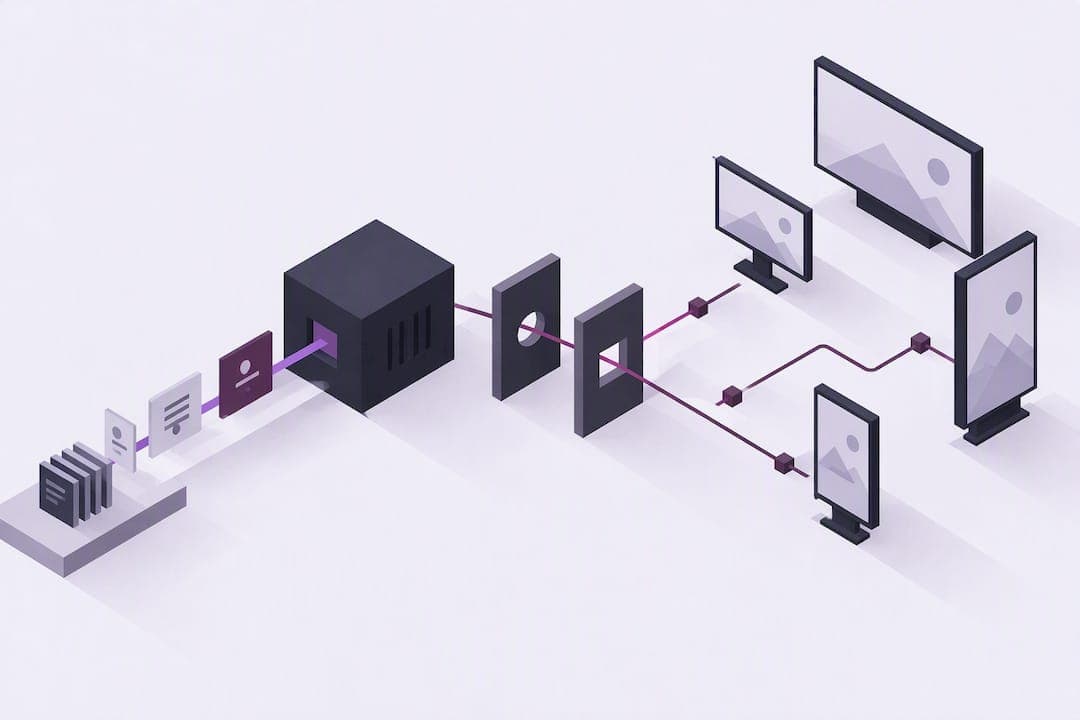
Cloud digital signage is a system where a cloud-hosted content management platform controls screens across multiple locations without on-site servers or manual updates. It suits retailers, hospitality groups, corporate offices, and out-of-home networks that need to change content quickly across many sites at once. The main advantages are centralized control, faster rollouts, and the ability to scale to new locations without adding local infrastructure.
TL;DR:
- Cloud digital signage depends on stable internet connectivity for real-time updates and remote management in large, distributed networks.
- Device management features such as remote monitoring, offline resilience, and security controls vary widely between platforms, impacting operational reliability.
- Pricing usually involves ongoing subscriptions that increase with the number of screens, requiring careful planning for network growth and feature needs.
- Vendors should support encrypted content transmission, role-based access, and offer proof-of-play reports, with live device monitoring dashboards being a key evaluation point.
- Natural language commands and AI-driven features like proactive device monitoring can significantly reduce operational complexity for multi-site organizations.
Table of Contents
- What cloud digital signage is and how it works
- Core features and capabilities organizations should expect
- Deployment models and hardware compatibility
- Business benefits and common vertical use cases
- Pricing models and what commonly drives cost
- How to choose a cloud digital signage platform: checklist and vendor questions
- Why ImpressBox reduces operational complexity with no-UI and AI features
- Publisher perspective: a short best-practice checklist for rollouts
- ImpressBox: how to get started
- Sources
- FAQ
What cloud digital signage is and how it works
A cloud digital signage system separates the control plane from the display hardware. The content management system, or CMS, lives on remote servers instead of an on-site computer, and a small media player connected to each screen pulls its instructions from that cloud CMS. This differs from an on-premises setup, where a local server manages a limited number of screens within one building.
The typical content flow follows a few steps:
- Content is created or uploaded in the cloud CMS, using templates or custom layouts.
- Playlists and channels group content by screen, location, or time of day.
- A scheduler assigns content to specific dates, times, or triggers.
- Media players download and cache content, then play it according to schedule.
- Proof-of-play logs record what played, when, and on which screen.
This structure lets a single administrator manage screens in different cities or countries from one dashboard, with changes appearing on-screen within minutes rather than requiring a site visit.
Core features and capabilities organizations should expect
Most cloud digital signage platforms share a common feature set, though depth and polish vary widely between vendors. Content authoring tools range from drag-and-drop editors to full API access for teams that want to push data programmatically. Scheduling engines typically support triggers, such as weather conditions or inventory levels, and can pull in dynamic data through real-time feeds like social media, news, or point-of-sale figures.
Device management is where platforms tend to differ most:
- Remote monitoring flags offline players, low storage, or firmware issues before staff notice a blank screen.
- Offline resilience keeps content playing from local cache when connectivity drops.
- Security features such as encrypted transmission and role-based access control limit who can publish to which screens.
- Analytics and proof-of-play reporting confirm what content actually aired, which matters for advertising contracts and internal audits.
Pro Tip: Ask a vendor for a live device monitoring dashboard during a demo rather than a screenshot. It shows whether alerts are real-time or delayed.
Buyers should also check access controls carefully. A platform that lets any user overwrite any screen's content is a liability for organizations with multiple departments or franchise locations sharing one network.

Deployment models and hardware compatibility
Cloud digital signage is not the only deployment option, and the right choice depends on network size, internet reliability, and IT resources. Cloud-only deployments require the least on-site infrastructure but depend on stable connectivity. On-premises digital signage keeps the CMS and content storage inside the local network, which suits sites with strict data policies or unreliable internet, but it limits remote management. Hybrid setups combine a cloud CMS with local caching, so screens keep playing content during outages while still receiving centralized updates once connectivity returns.
Hardware compatibility affects both cost and flexibility:
- Smart TV operating systems like LG WebOS and Samsung Tizen embed the player directly into the display, reducing extra equipment.
- Android media boxes and ARM boards offer a lower-cost external player option for existing screens.
- Intel or AMD mini-PCs handle heavier content loads, such as video walls or interactive kiosks.
- Browser-based playback works on any device with a modern browser, useful for temporary or low-budget setups.
For large networks, peer-to-peer content delivery and local caching reduce bandwidth strain by letting devices on the same network share files instead of each pulling separately from the cloud.
Business benefits and common vertical use cases
The practical case for cloud digital signage rests on reducing manual, site-by-site work. A single content update pushed from a central dashboard replaces the need to visit or remotely access each screen individually, which shortens the time between deciding on a promotion and seeing it live.
- Retailers use cloud signage for pricing updates, promotional campaigns, and in-store wayfinding across many locations at once.
- Hospitality businesses manage digital menu boards, event schedules, and guest information screens that change throughout the day.
- Corporate offices run internal communications, meeting room displays, and performance dashboards synced across multiple buildings.
- Digital out-of-home networks schedule advertising content and track proof-of-play data for billing and campaign reporting.
Organizations typically track impressions, play counts, and dwell time near screens to gauge whether content is reaching an audience, though the specific metrics available depend on the platform and any connected analytics tools.
Pricing models and what commonly drives cost
Cloud digital signage pricing generally follows a subscription structure, though the unit of billing varies by vendor. Common approaches include per-device licensing, per-network flat fees, tiered SaaS plans based on features or screen count, and Display-as-a-Service bundles that combine hardware, software, and support into one recurring payment.
Costs typically break down into two categories:
- One-time costs cover hardware purchase, installation, and any professional services needed for setup or integration.
- Recurring costs cover the software license and ongoing support, which scale with the number of screens or level of service.
Vendor pages and market review sites commonly cite trust signals such as large customer counts and lists of supported integrations, according to Gartner's digital signage market reviews. These figures are useful for a first pass but should be checked against direct references before they factor into a purchase decision. Budgeting for cloud digital signage should account for screen count growth, since most tiered SaaS plans charge more as a network expands.
How to choose a cloud digital signage platform: checklist and vendor questions
Evaluating a cloud digital signage platform comes down to a short set of questions that expose gaps a demo alone will not reveal.
- Confirm how the platform handles offline periods and whether cached content keeps playing without a live connection.
- Ask what encryption standards protect content in transit and at rest, and whether single sign-on is supported for enterprise identity systems.
- Request a sample proof-of-play report to see the level of detail available for auditing or advertising reconciliation.
- Ask about open APIs and what systems the platform integrates with, such as point-of-sale or inventory data.
- Review the service level agreement for uptime guarantees and support response times.
- Request references or sample deployments similar in scale to your own network.
Pro Tip: Treat a vague answer about offline behavior as a warning sign. A platform that cannot explain what happens when a screen loses connectivity is not ready for a multi-site rollout.
Red flags include vendors who cannot produce a working device monitoring dashboard, avoid specifics about data encryption, or push a long-term contract before a pilot phase. Trade publications covering top digital signage software providers consistently recommend validating vendor claims against case studies rather than marketing pages alone.
Why ImpressBox reduces operational complexity with no-UI and AI features
One platform approaches content management differently by removing the traditional dashboard interface in favor of natural language commands. Instead of navigating menus to update a playlist or reassign a screen, an operator can issue a plain-language instruction directly, which cuts the steps between decision and execution.
This design choice targets the operational friction that slows down multi-site teams through features such as natural language control to reduce training time, proactive display monitoring to flag device issues early, AI-driven video adaptation for adjusting content formatting across different screen sizes and orientations, and scalable architecture supporting growth from a handful of screens to large multi-location networks.
Fewer manual steps mean fewer opportunities for human error, which matters most for organizations managing screens across many sites with lean IT teams.

Publisher perspective: a short best-practice checklist for rollouts
Start with a small pilot before committing to a full rollout, and standardize hardware across locations to simplify troubleshooting. Build a template library early so staff are not designing layouts from scratch for every campaign. Automate monitoring and alerts rather than relying on staff to notice a screen has gone dark. Common mistakes include over-customizing templates per location, skipping device testing before deployment, and treating monitoring as optional rather than a core part of the rollout plan.
— impressBox
ImpressBox: how to get started
One software platform brings together centralized control, proactive monitoring, and a no-UI workflow built to cut the manual work multi-site teams spend on everyday content updates. Its architecture supports flexible deployment across cloud, hybrid, and on-premises setups, and it works across a wide range of hardware, from Smart TV operating systems to Android boxes and mini-PCs.

Organizations evaluating a cloud digital signage platform for retail, hospitality, or corporate networks can see the ImpressBox platform in action or reach out directly through the ImpressBox website to request a demo and discuss deployment options for their specific network size and hardware setup.
Sources
For further research, procurement teams can review Gartner's digital signage market reviews for vendor validation, DigitalSignageToday's provider roundups for vertical use cases, and the WordPress GDPR Cookie Compliance plugin directory for privacy tooling context when integrating signage with personal data.
- Gartner — Digital signage market reviews
- DigitalSignageToday — Top digital signage software providers
FAQ
What does cloud digital signage mean exactly?
Cloud digital signage refers to a system where the content management software runs on remote servers rather than a local computer, and media players at each screen retrieve instructions over the internet. It lets one administrator manage screens across many locations from a single dashboard.
How much does digital signage cost?
Digital signage pricing varies by vendor and typically follows a subscription model billed per device, per network, or through tiered SaaS plans, with additional one-time costs for hardware and installation. ImpressBox pricing is available on request through the ImpressBox website.
What is the best free digital signage app?
There is no single platform that qualifies as the best free option, since free and open-source tools generally trade advanced features, enterprise support, or scaling guarantees for lower cost, according to industry coverage of digital signage software providers. Organizations with more than a few screens usually outgrow free tools once monitoring, security, or integration needs increase.
Is cloud digital signage secure enough for enterprise use?
Cloud digital signage can meet enterprise security needs when the platform offers encrypted data transmission, role-based access controls, and support for single sign-on. Buyers should confirm these details directly with a vendor rather than assuming they are included by default.
How do I choose between cloud, hybrid, and on-premises signage?
The choice depends on internet reliability, data policies, and how much remote management the organization needs. Cloud-only setups offer the easiest remote control, on-premises setups suit sites with strict data rules or unreliable connectivity, and hybrid deployments balance both by caching content locally while still syncing with a central CMS.